
01
Customer messages WhatsApp
A customer asks about pricing, availability, service scope, order follow-up, or booking on your existing WhatsApp Business number.
Live CRM integration
Zenvox connects your WhatsApp customer conversations with Bitrix24 so new inquiries are captured, qualified, routed, and logged as structured CRM work instead of staying buried inside chat threads.
Integration status
Bitrix24 connectivity is live for lead capture, customer records, inquiry routing, and follow-up visibility.
The problem
A customer asks for pricing on WhatsApp, but the lead is added to Bitrix24 only after someone remembers to copy it manually.
Sales managers cannot see which WhatsApp inquiries need follow-up, quotation, or escalation because the real conversation stays outside the CRM.
Agents and service teams ask the same qualification questions twice because the WhatsApp context is not attached to the customer record.
Data flow
A customer asks about pricing, availability, service scope, order follow-up, or booking on your existing WhatsApp Business number.
The AI reads the message, checks your approved company knowledge, asks for any missing details, and decides whether the chat can be answered or should be routed.
Zenvox creates or updates the configured Bitrix24 lead, contact, deal, or task with source, customer details, transcript summary, and inquiry category.
The right owner gets the customer context, recommended next step, and full WhatsApp summary so follow-up starts from a clean CRM record.
Product screenshots
Customer message
We need pricing for 300 units and delivery to Dubai next week. Can someone confirm today?
Zenvox action
Zenvox captured the requirement, urgency, delivery location, and preferred follow-up, then prepared a Bitrix24 lead.
Record preview
Synced customer context
Company
Gulf Horizon Supplies
Need
300 units + Dubai delivery
Priority
Confirm today
Source
Customer message
Lead source: WhatsApp. Requirement: 300 units. Delivery: Dubai next week. Next step: sales quote.
Zenvox action
The Bitrix24 record includes the transcript summary, owner, lead source, inquiry type, and recommended follow-up.
Record preview
Synced customer context
CRM object
Lead created
Owner
Sales team
Status
Qualified
Next action
Send quote
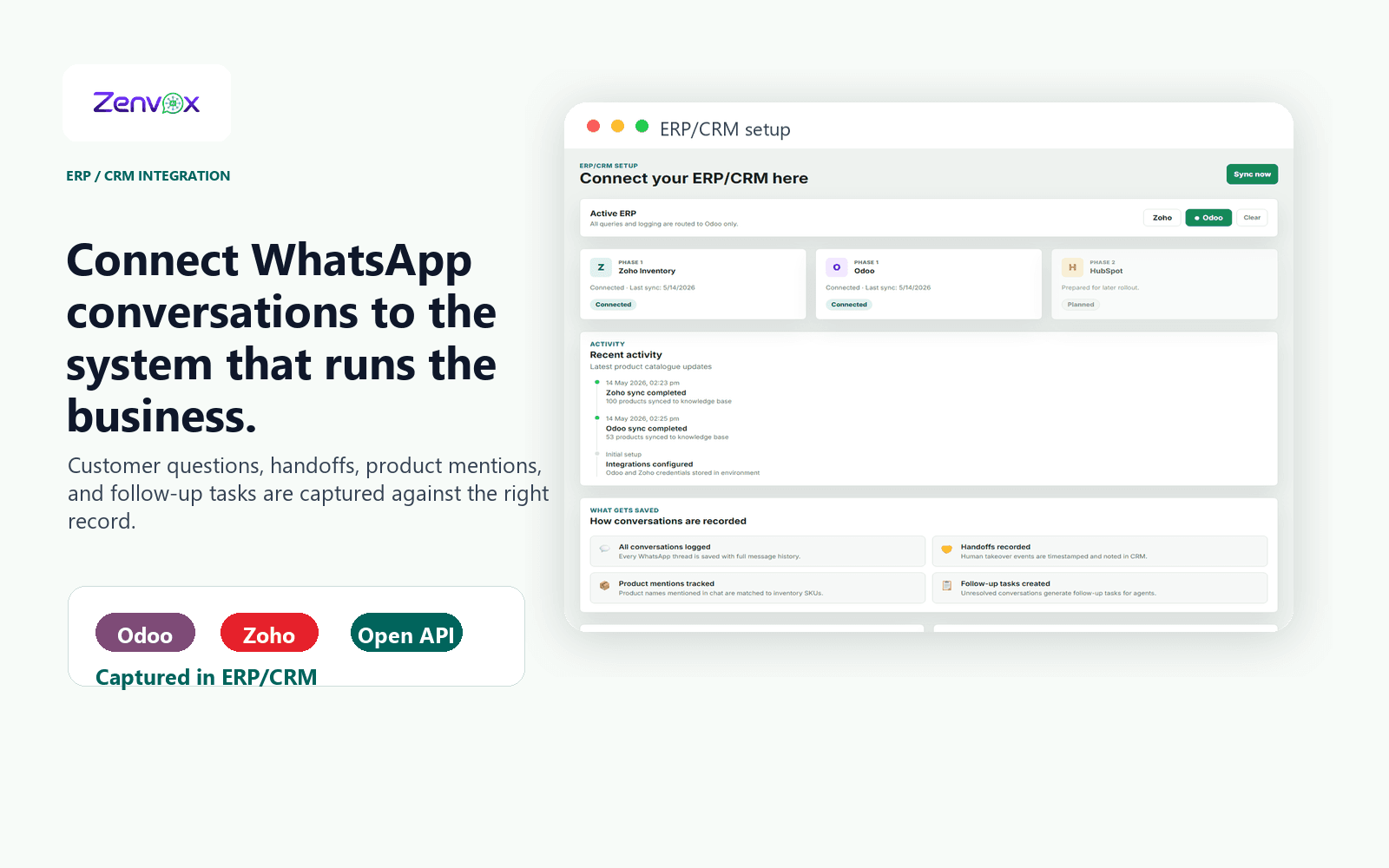
Actual product view
The integration workspace helps your team confirm Bitrix24 connectivity, review sync activity, and understand what conversation data is saved from WhatsApp into your CRM.
Use cases
Can you send pricing?
Do you serve companies in Abu Dhabi?
Can someone call me today?
Zenvox asks for missing details, checks your approved business information, replies with the next step, and creates or updates the Bitrix24 lead with source, summary, customer details, and owner.
More WhatsApp conversations become trackable CRM opportunities with less manual data entry.
Who is handling my request?
Can I reorder the same items?
Please ask your sales person to call me.
Zenvox identifies the customer or request, captures the new message, routes anything requiring human action to the right owner, and updates Bitrix24 with the latest context.
Sales and service managers can see open follow-ups instead of hunting through WhatsApp chats.
Records
Zenvox turns WhatsApp conversations into clean operational records your team can search, assign, report on, and follow up.
FAQ
Yes. Bitrix24 connectivity is live for lead capture, customer record updates, inquiry routing, and follow-up visibility. The exact objects and fields depend on your Bitrix24 setup and onboarding scope.
Yes. Zenvox can qualify the conversation, capture missing details, and create a structured Bitrix24 lead with WhatsApp as the source. It can also attach the transcript summary and next action for your sales team.
Yes, routing can be configured based on inquiry type, language, business unit, product, or team ownership. Sensitive or high-value conversations can still be routed to a human before a final reply is sent.
Yes. Zenvox supports automatic replies, approval-first replies, and manual-only mode. You can start with approval-first for Bitrix24-connected workflows and move routine conversations to automatic replies once your team is comfortable.
Next step