
Product

WhatsApp chatbot, automation, and CRM follow-up in one product.

Zenvox helps UAE businesses answer WhatsApp customer questions faster, automate routine conversations, route sensitive chats to humans, and keep CRM or ERP follow-up organized.

WhatsApp chatbotWhatsApp automationWhatsApp CRM

Zenvox workspace

Reply control center

Approval-first

Knowledge status

8 collections ready

Exception queue

3 chats need review

System updates

Odoo and Zoho connected

Suggested next action

Approve pricing reply, then save the inquiry under the customer record.

Customer saved

Policy attached

Odoo updated

Core product pillars

Built around the three WhatsApp problems UAE teams search for first.

Most teams start by looking for a WhatsApp chatbot, a WhatsApp automation tool, or a WhatsApp CRM workflow. Zenvox combines those needs into one controlled operating layer.

Answer repeat customer questions

WhatsApp chatbot

Zenvox works like a controlled WhatsApp chatbot for business teams: it replies from approved company knowledge, supports English and Arabic, and avoids guessing when information is missing.

Explore this solution
Route routine work automatically

WhatsApp automation

Automate common WhatsApp workflows such as FAQs, delivery questions, product availability, lead capture, and handoff while keeping your team in control of sensitive replies.

Explore this solution

Turn chats into follow-up records

WhatsApp CRM

Capture names, inquiry details, summaries, and next actions from WhatsApp conversations so sales and support teams can follow up from CRM instead of long chat threads.

Explore this solution

Product workflow

A controlled workflow from WhatsApp reply to CRM follow-up.

The product is designed for the full path: answer the customer, decide what should be automated, hand off what needs judgment, and save the useful record.

01

Train the WhatsApp chatbot on approved knowledge

Upload products, pricing rules, delivery terms, FAQs, policies, and review notes that Zenvox is allowed to use when answering customer questions.

02

Choose the right WhatsApp automation mode

Set automatic replies, approval-first replies, or manual handoff for different types of customer questions and business risk.

03

Review exceptions safely

Missing, sensitive, or high-value questions are routed to your team with the customer details and chat context.

04

Save the outcome in CRM or ERP

Customer details, inquiry type, summaries, and next actions can be saved into Odoo, Zoho, or connected CRM and ERP systems.

WhatsApp experience

From customer question to ERP update in one flow.

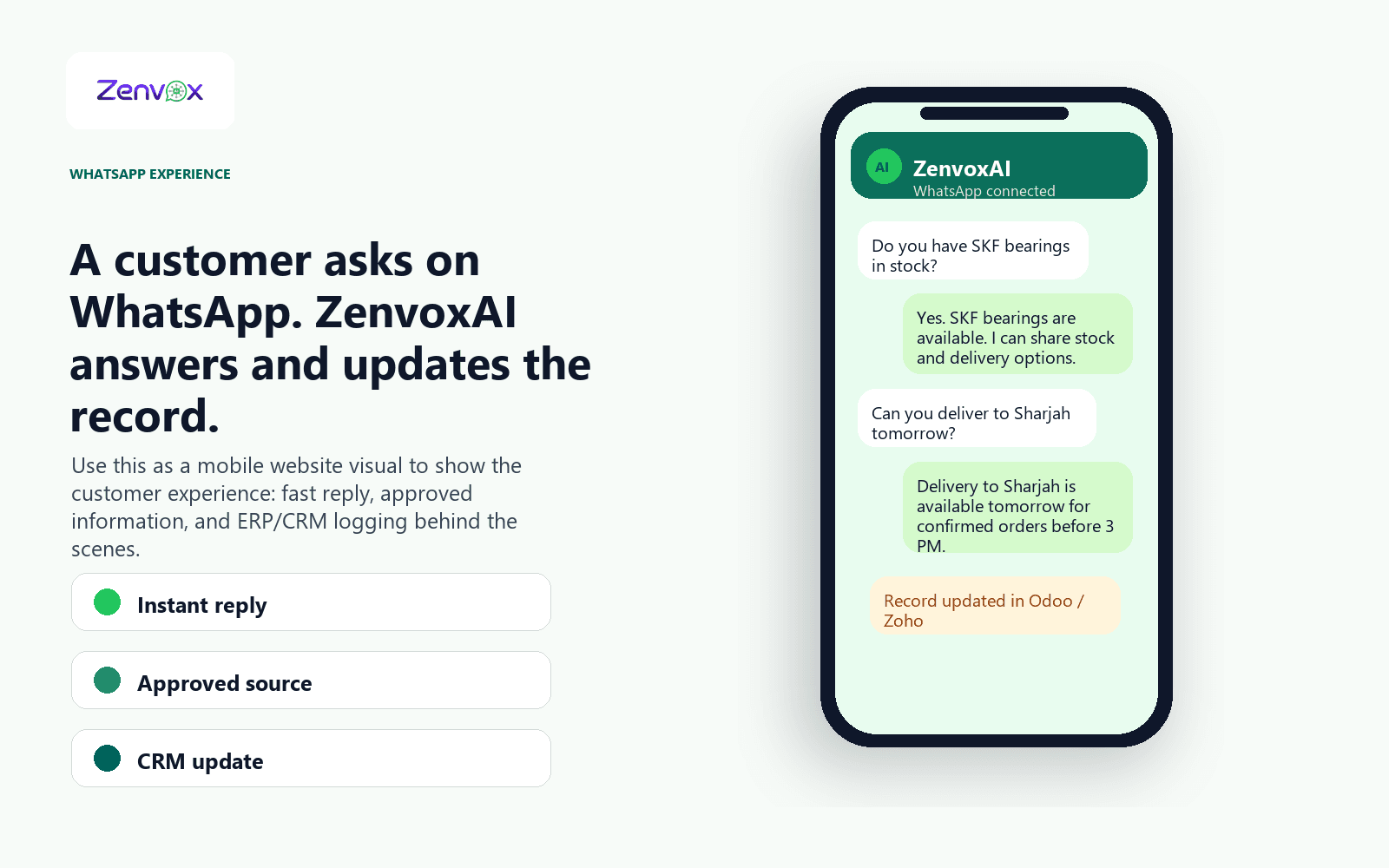
The product experience starts where your customers already are: WhatsApp. Zenvox answers routine questions from approved company knowledge, then keeps the useful outcome ready for CRM or ERP follow-up.

Instant reply

Approved source

CRM update

ZenvoxAI mobile WhatsApp conversation mockup showing an AI reply and Odoo or Zoho record update

Company knowledge

Zenvox answers from the information you approve.

Your team stays in control of what Zenvox can answer. If the answer is missing or sensitive, the conversation is handed off instead of guessed.

Products
Prices
Delivery
FAQs
Company policies
Review notes

Simple status labels

ReadyNeeds checkingNot connected

Reply modes

Decide how much automation each conversation should get.

Automatic

For questions with approved answers, such as standard delivery, product details, FAQs, and basic availability.

Approval-first

For answers your team wants to review before they are sent, such as pricing, discounts, or special requests.

Manual handoff

For sensitive, unclear, or high-value chats that should go straight to a person with full context attached.

Team visibility

Each team sees the part of the conversation that matters to them.

Zenvox is not only a reply tool. It helps owners, sales, support, and operations keep customer work moving after the message is received.

Owners

See whether customer conversations are being answered, routed, and followed up properly.

Sales teams

Receive qualified inquiries with customer context instead of hunting through long WhatsApp threads.

Support teams

Handle exceptions faster because Zenvox attaches the question, policy, and conversation history.

Operations

Keep delivery, stock, order, and document requests connected to business records.

Control and trust

Built for teams that cannot afford random answers.

Answers only from approved knowledge
Human handoff for missing or sensitive answers
Conversation transcripts and summaries
Team-controlled reply modes
Connected system updates
English and Arabic support

WhatsApp AI solutions

Start from the WhatsApp problem your team is trying to solve.

Zenvox brings WhatsApp chatbot, WhatsApp automation, WhatsApp CRM, and ERP use cases into one product workflow, so visitors do not need a separate WhatsApp AI page to understand the solution.

Too many repeat questions on WhatsApp

Slow replies after working hours

Important inquiries stuck inside chats

Manual copy-paste into CRM or ERP

Unclear ownership between sales and support

Arabic and English conversations mixed together

Integrations

Connect WhatsApp and your business systems.

Twilio WhatsApp

Used for WhatsApp Business messaging

Odoo

Live and tested

Zoho

Connected business records and follow-up

Open APIs

Additional systems can be reviewed when APIs are available

Capabilities

What your team gets from day one.

24/7 WhatsApp customer responses
English and Arabic replies
Company knowledge upload and review
Built-in AI test box before going live
Automatic, approval-first, and manual reply modes
Conversation logging and transcripts
Human handoff with full context
Odoo CRM/ERP logging

Ready to see it?

Test Zenvox with your own customer questions.

Book a demo