
01
Customer starts the chat
A customer asks about pricing, service availability, delivery, reorder, or a support request on WhatsApp.
Connected integration
Zenvox is built to connect WhatsApp customer conversations with Zoho so UAE teams can capture leads, qualify inquiries, update customer records, and keep follow-up work visible without manual copy-paste.
Integration status
Zoho connectivity supports customer records, lead capture, inquiry routing, and follow-up visibility.
The problem
Customers message after hours and the lead is never added to Zoho.
Sales teams qualify the same customer twice because the WhatsApp conversation is not tied to the CRM record.
Managers cannot tell which WhatsApp chats need follow-up, quotation, or escalation.
Data flow
A customer asks about pricing, service availability, delivery, reorder, or a support request on WhatsApp.
The AI identifies the customer, captures missing details, and checks your approved company information before replying.
Zenvox creates or updates the configured Zoho lead, contact, deal, or inquiry record with the full WhatsApp context.
If human action is needed, Zenvox routes the conversation with customer details, summary, inquiry type, and recommended follow-up.
Product screenshots
Customer message
We need pricing for monthly delivery to three Dubai locations. Can someone call today?
Zenvox action
Zenvox captured company name, requirement, urgency, and preferred follow-up, then prepared a Zoho lead.
Record preview
Synced customer context
Company
Green Palm Retail
Need
Recurring delivery quote
Priority
Call today
Language
English
Customer message
Lead source: WhatsApp. Requirement: recurring delivery across 3 locations. Next step: sales call.
Zenvox action
The Zoho record carries the transcript summary and owner so the sales team starts from context, not a blank form.
Record preview
Synced customer context
Module
Lead
Source
WhatsApp via Zenvox
Owner
Sales manager
Status
Qualified
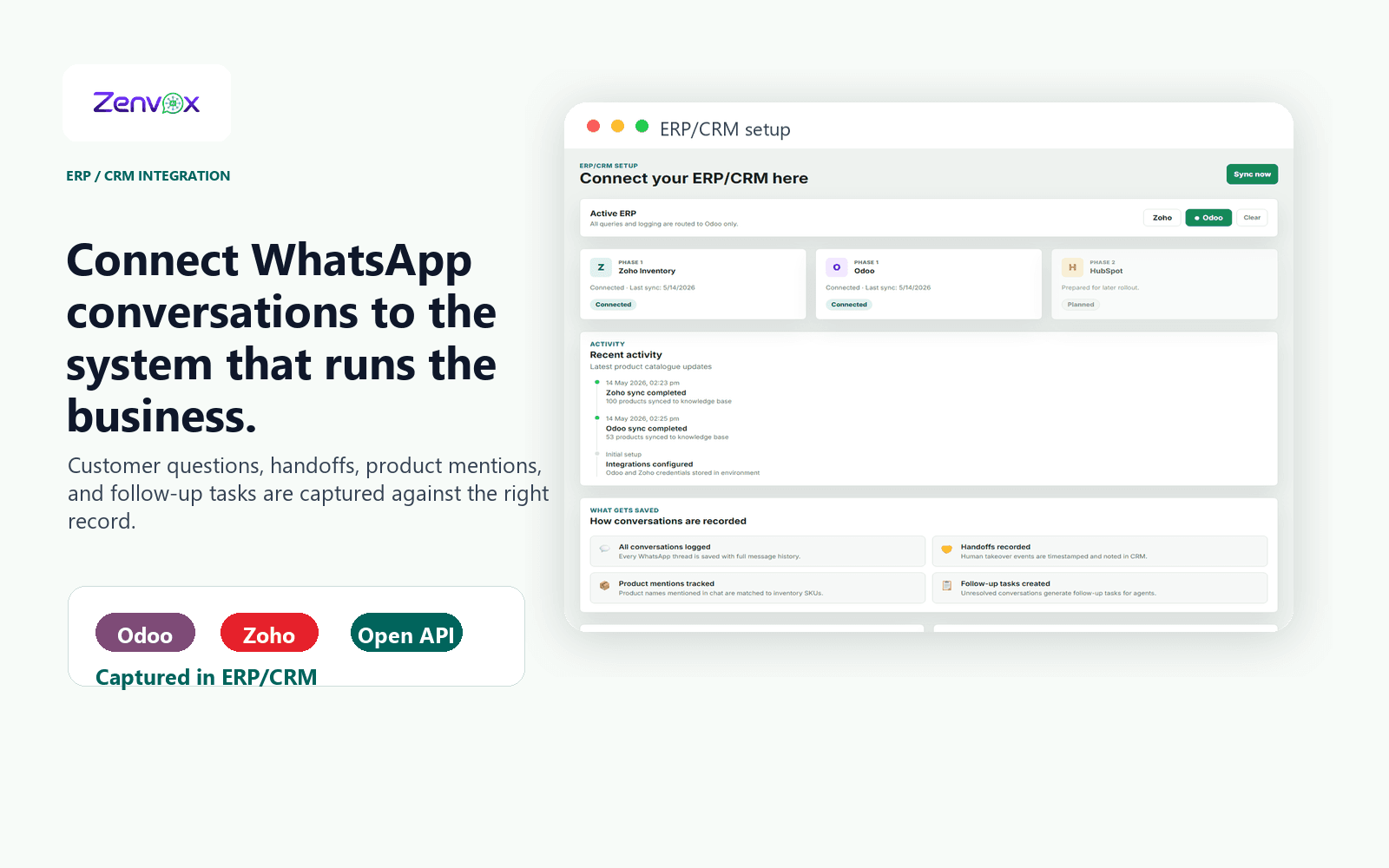
Actual product view
The same integration workspace helps your team confirm Zoho and Odoo connectivity, review sync activity, and understand what gets saved from WhatsApp conversations.
Use cases
Can you send me a quote?
Do you serve businesses in Abu Dhabi?
Can your team call me today?
Zenvox asks for missing details, checks your approved service information, replies with the next step, and prepares a Zoho lead with source, summary, customer details, and owner.
More WhatsApp inquiries become trackable sales opportunities instead of disappearing in chat history.
I want to reorder my last items.
Can you update my delivery address?
Who is handling my account?
Zenvox identifies the customer, pulls or prepares the relevant Zoho context, captures the request, and routes anything that needs approval to the right team member.
Sales and service teams spend less time reconstructing customer history from WhatsApp messages.
Records
Zenvox turns WhatsApp conversations into clean operational records your team can search, assign, report on, and follow up.
FAQ
Yes. Zoho is connected for customer, lead, and inquiry workflows. The exact modules and fields depend on your Zoho setup, permissions, and onboarding scope.
Yes, that is one of the core Zoho workflows. Zenvox can qualify the customer conversation, capture missing details, and prepare a structured lead with WhatsApp as the source.
Routine capture can be automated, while sensitive actions can require human review. During setup, you choose which fields, modules, and approval rules Zenvox should follow.
Yes. Zenvox supports automatic replies, approval-first replies, and manual-only mode, so Zoho-connected workflows can match how your sales or service team works today.