
01
Customer asks on WhatsApp
A customer asks about stock, price, appointment slots, loyalty points, order status, package validity, service availability, warranty, or delivery timing.
Custom integration
If your customer, stock, booking, order, or invoice data lives in a custom ERP, Zenvox can be integrated with that system so WhatsApp conversations turn into reliable answers and structured records.
Integration status
Custom ERP connectivity is scoped during onboarding based on your API, database access, field structure, security rules, and the customer workflows Zenvox needs to support.
The problem
Retail teams often run stock, loyalty, POS, and branch data across systems such as LS Central, Retail Pro, Lightspeed Retail, Shopify POS, or a custom SQL-based ERP.
Salon and wellness teams may manage bookings, memberships, packages, and staff schedules in systems such as Zenoti, Fresha, Phorest, Treatwell, Salonist, or an internal booking platform.
When a customer asks on WhatsApp, staff still have to open the ERP, search the customer or SKU, interpret the record, write a reply, and then remember to log the conversation.
Data flow
A customer asks about stock, price, appointment slots, loyalty points, order status, package validity, service availability, warranty, or delivery timing.
The AI classifies the request and decides whether it needs knowledge-base content, live custom ERP data, or a human decision before replying.
Zenvox checks the approved API, middleware, webhook, or database view for the relevant customer, SKU, order, invoice, booking, branch, or staff schedule data.
Zenvox replies on WhatsApp where allowed, then creates or updates the configured record with transcript summary, inquiry type, source, and follow-up owner.
Product screenshots
Customer message
Do you have the Dyson Airwrap in rose gold at Dubai Mall? Can I reserve it today?
Zenvox action
Zenvox checked branch stock, confirmed availability rules, captured the reservation request, and prepared the ERP record for the store team.
Record preview
Synced customer context
Customer
Walk-in WhatsApp lead
Item
Dyson Airwrap rose gold
Branch
Dubai Mall
Next action
Store reservation call
Customer message
Do I still have a facial package balance? Can I book Saturday afternoon with Sara?
Zenvox action
Zenvox checked the customer profile, package balance, staff availability, and routed the booking request with the full context attached.
Record preview
Synced customer context
Customer
Existing member
Package
2 facial sessions remaining
Preferred staff
Sara
Slot request
Saturday afternoon
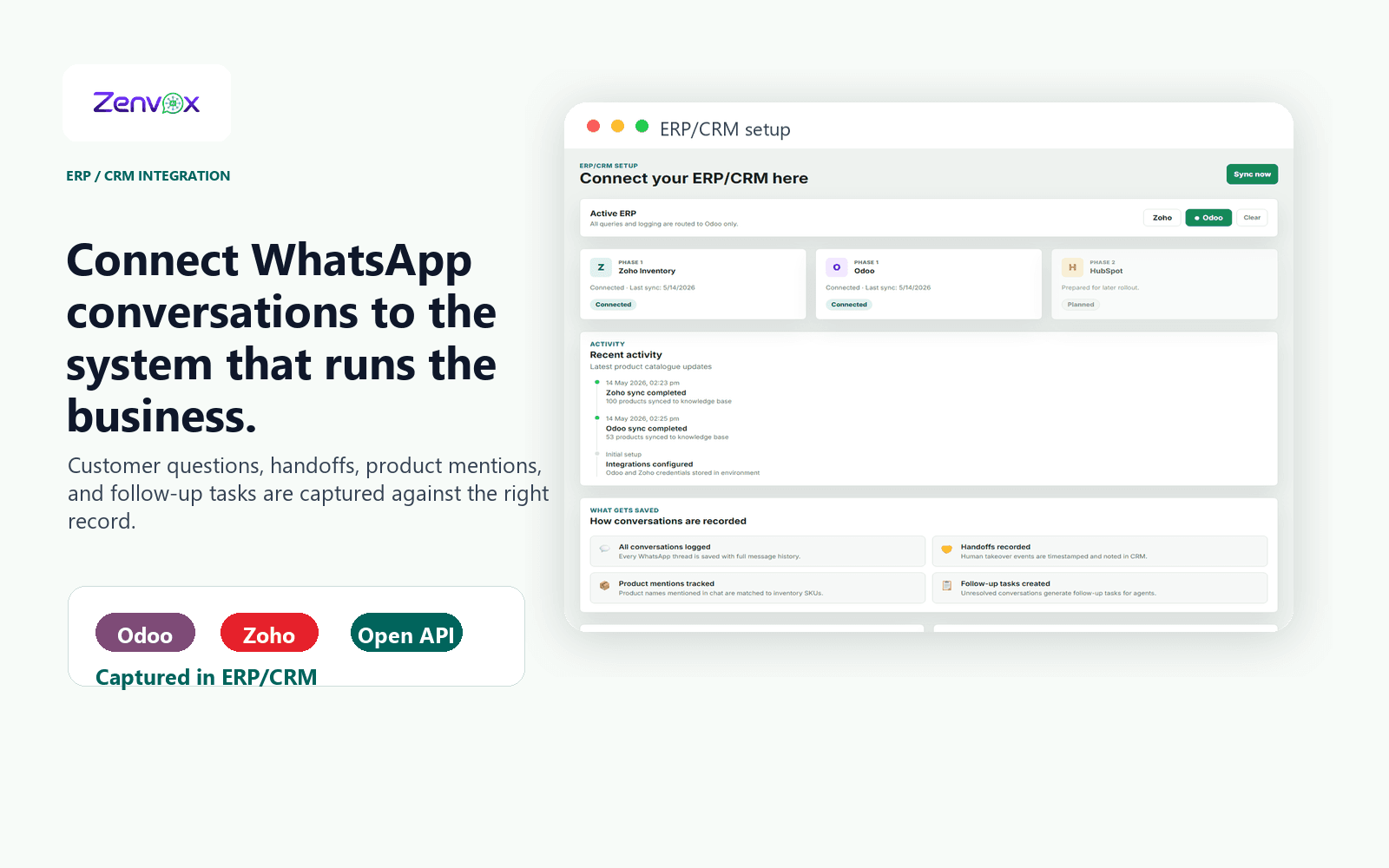
Actual product view
Your team can see which system is connected, what data is being used for replies, how recent the latest sync is, and what customer context is saved after each WhatsApp conversation.
Use cases
Is this item available in Mall of the Emirates?
Can you reserve it for me?
How many loyalty points do I have?
Zenvox maps the customer message to the right SKU, branch, customer account, and reservation rule. It checks the approved custom ERP data, replies with the allowed information, and logs the inquiry with the store or ecommerce team.
Retail teams answer stock and reservation questions faster without asking staff to manually search several POS or ERP screens.
Do I have sessions left in my package?
Is my stylist available tomorrow?
Can I move my appointment to Friday evening?
Zenvox checks the customer profile, membership or package balance, service rules, staff availability, and appointment status. It can confirm simple information, prepare a booking request, or route sensitive changes to reception.
Salon teams reduce missed booking inquiries while keeping appointment changes and package rules controlled.
Did you receive my PO?
What is my delivery status?
Can you resend the invoice?
Zenvox looks up the customer account, order reference, invoice status, or delivery stage from the custom ERP or middleware layer, then replies or hands off based on the approval rules.
Operations teams stop rechecking the same ERP records for every WhatsApp follow-up.
Records
Zenvox turns WhatsApp conversations into clean operational records your team can search, assign, report on, and follow up.
FAQ
Yes. If the system exposes an API, webhook, middleware layer, database view, or exportable data structure, Zenvox can usually be scoped for integration. We review the data model, permissions, and exact workflows before committing to the implementation.
Retail systems may include LS Central, Retail Pro, Lightspeed Retail, Shopify POS, or a proprietary ERP. Salon and wellness systems may include Zenoti, Fresha, Phorest, Treatwell, Salonist, or a custom booking platform. The important factor is not the brand name; it is whether the required data can be accessed safely and reliably.
Typical fields include customer profile, order status, branch stock, SKU information, price lists, invoices, bookings, package balances, loyalty points, delivery status, and assigned owner. The final scope depends on your ERP permissions and business rules.
Yes, if your ERP supports safe write access. Common write-back actions include creating inquiries, leads, tasks, booking requests, follow-up notes, and conversation summaries. Sensitive actions can require human approval before they are written.
Simple read-only integrations can be scoped and implemented faster than complex write-back workflows. Timelines depend on API access, test data, field mapping, security review, and approval rules. During the demo or discovery call, we identify the practical first workflow instead of trying to integrate everything at once.
Next step